Trading Analytics
Hextrade provides powerful analytics tools designed to help you evaluate account performance, mitigate risk, and make informed adjustments to your strategy. Whether you’re reviewing overall trends or drilling into a single account, the data is always at your fingertips.️ Two Ways to Access Analytics
General Analytics
An overview of all accounts combined — major performance indicators, trends, and a simplified view of your overall trading activity.
Account-Specific Analytics
Drill into the performance of a single account — detailed P&L, trade history, risk metrics, and account-specific data.
General Analytics
Visit Hextrade General Analytics for a comprehensive overview of your trading performance across all connected accounts. What you’ll find:- Overall P&L — Combined profit and loss across all accounts.
- Trade volume — Total number of trades executed.
- Win rate — Aggregate success rate across your portfolio.
- Performance trends — Charts showing performance over time (daily, weekly, monthly).
- Risk indicators — Drawdown and other risk metrics at the portfolio level.
This guide covers the
/analytics page (account performance). For the Analytics tab in Portfolio Builder, see Portfolio Analytics.Account-Specific Analytics
1
Visit the Accounts page
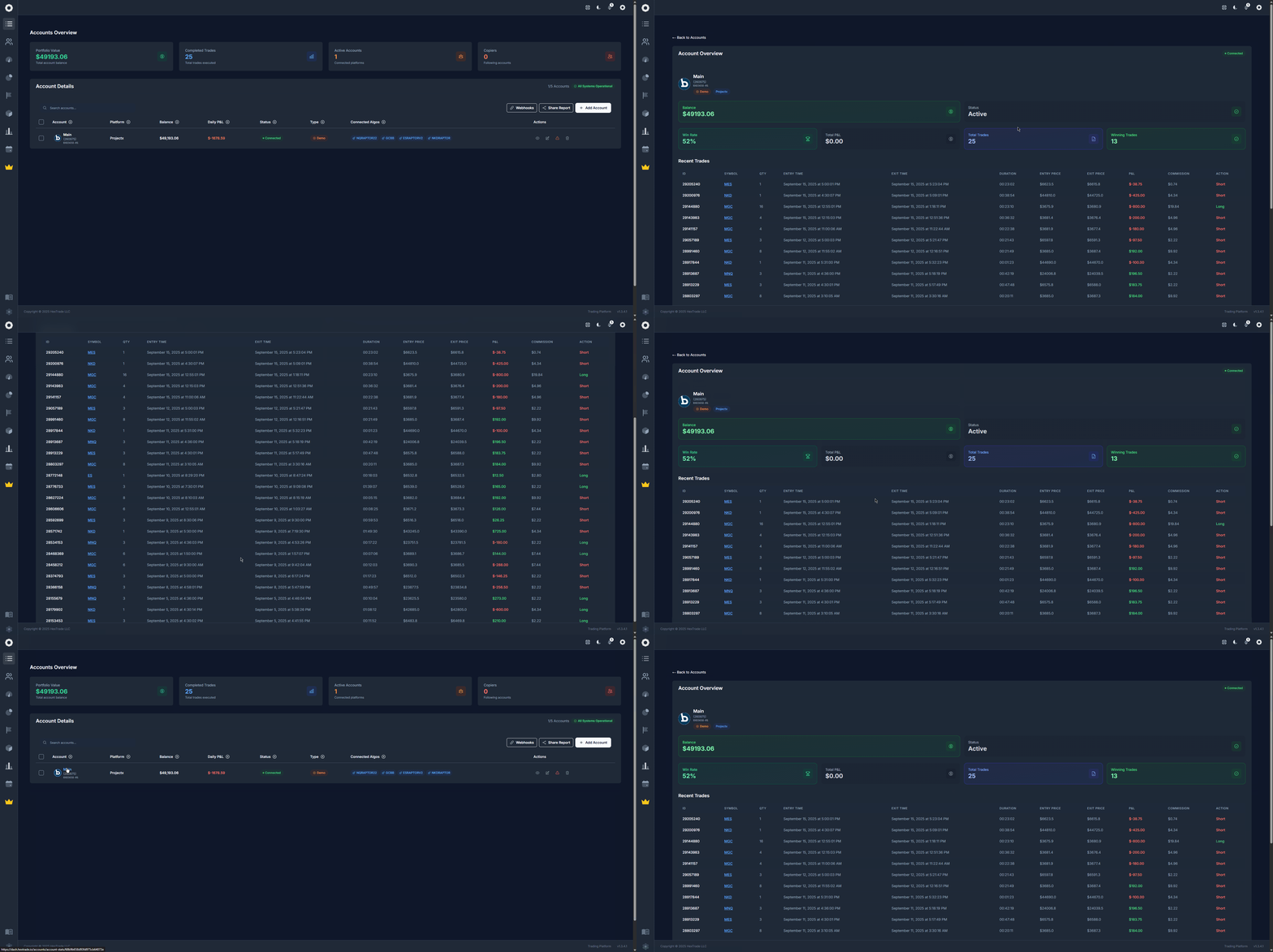
Navigate to dash.hextrade.io/accounts. You’ll see a table listing all your connected accounts.
2
Open an account's analytics
Click the Eye icon or directly on the account name in the table to open its detailed analytics page.
3
Review the data
The account analytics page shows:
- Balance and buying power
- Open and closed positions
- Trade history with entry/exit prices
- P&L by day, week, month
- Algorithm performance (if using an automated strategy)
- Risk metrics including max drawdown
Key Metrics Explained
Using Analytics to Improve
- Compare accounts — Side-by-side comparison of algorithms running across different brokers.
- Identify losing periods — Use the calendar view to spot days or weeks with poor performance.
- Adjust risk — If analytics show high drawdown, reduce position sizing or algorithm risk settings.
- Combine with the Calendar — Check the Economic Calendar to correlate losses with major market events.